APP SENDER
A custom web application that replaced App Sender's WordPress form with something far more capable, and far more secure. Japanese working holiday applicants complete every question of IRCC's work permit application on their phones, in Japanese with IRCC's own English beneath each line, and upload their passport page. Staff sign in to a private dashboard where every submission arrives in IRCC's order, ready to copy, with answers and passport files encrypted a second time by the app itself and stored in Canada.
App Sender helps people from Japan come to Canada on working holidays through International Experience Canada (IEC). Every application starts with the answers for IRCC's Application for Work Permit Made Outside of Canada (IMM 1295): personal and family details, the countries they have lived in, every job, school and gap since their 18th birthday, and a copy of their passport. The applicants are mostly in their twenties, almost all of them on their phones, most aren't fluent in English, and they are handing over their passport and their history. App Sender needed to replace its WordPress form with something that made all of that easy, got the details right the first time, and kept every answer locked down.
We designed and built a custom web application from a blank page, with no form builders or plugins. Applicants move through IRCC's questions in thirteen short sections, Japanese first with IRCC's own English beneath every line, and their progress saves on their own phone as they go. On the other side, staff sign in to a private dashboard where each submission arrives in IRCC's order with a copy button on every answer, ready to enter into IRCC's own site. Security was engineered in from the first line: answers and passport files are encrypted a second time by the app itself, stored in Canada, and never sent by email.
A bilingual, phone-first application covering every question on IRCC's IMM 1295 in thirteen short sections, Japanese first with IRCC's English beneath each line, an English version one tap away, and follow-up questions that appear only when they apply
Answers in the exact format IRCC expects, with IRCC's own lists for countries, languages and statuses shown in Japanese, IRCC's character limits, full-width characters converted automatically, year pickers that show the Japanese era, and an employment history that flags any month left uncovered
A private staff dashboard with search, status tabs, date filters and CSV export, and a record for each submission laid out in IRCC's order, with a copy button on every answer, copy all, print to PDF, private notes, and the passport file beside it
Security engineered in from the first line, with AES-256 encryption by the app on top of Google's own, data stored in Montréal, passport links that expire after one minute, a record of every view and download, and bot protection on the public form
No accounts, no passwords, no lost work: progress saves on the applicant's own phone until they press Send, and a confirmation email in Japanese carries their reference number
Mobile First, Japanese First
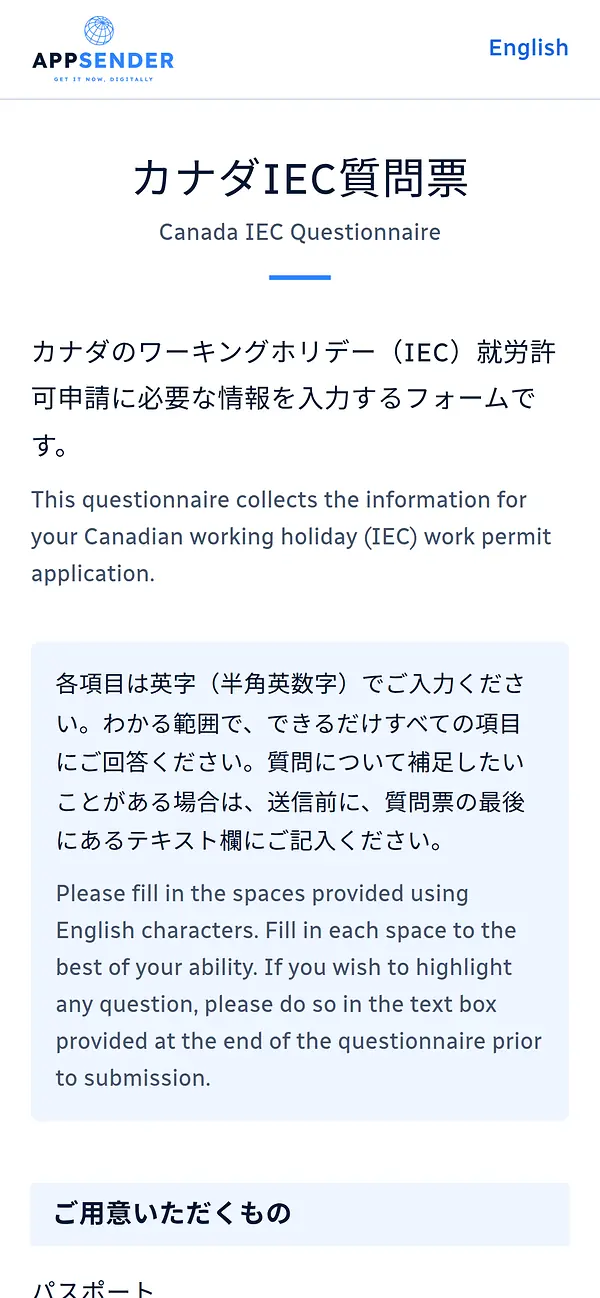
Most applicants open the link on a phone, many inside LINE's built-in browser. The start screen says what to have ready, from the passport to the dates of every job and school, and that answers save on the phone as they go.
Mistakes Caught on the Spot
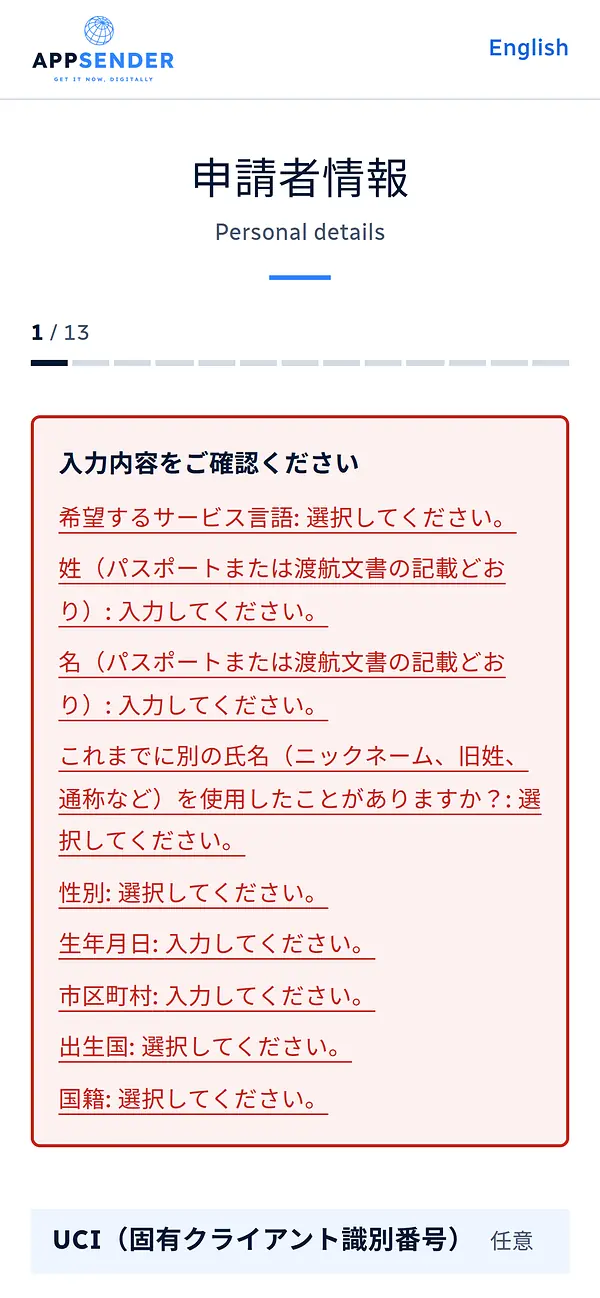
Press Next with something missing and a summary appears at the top of the step, each problem a link straight to its field, with plain instructions in Japanese. Errors are fixed before anything reaches IRCC.
Two Voices on Every Question
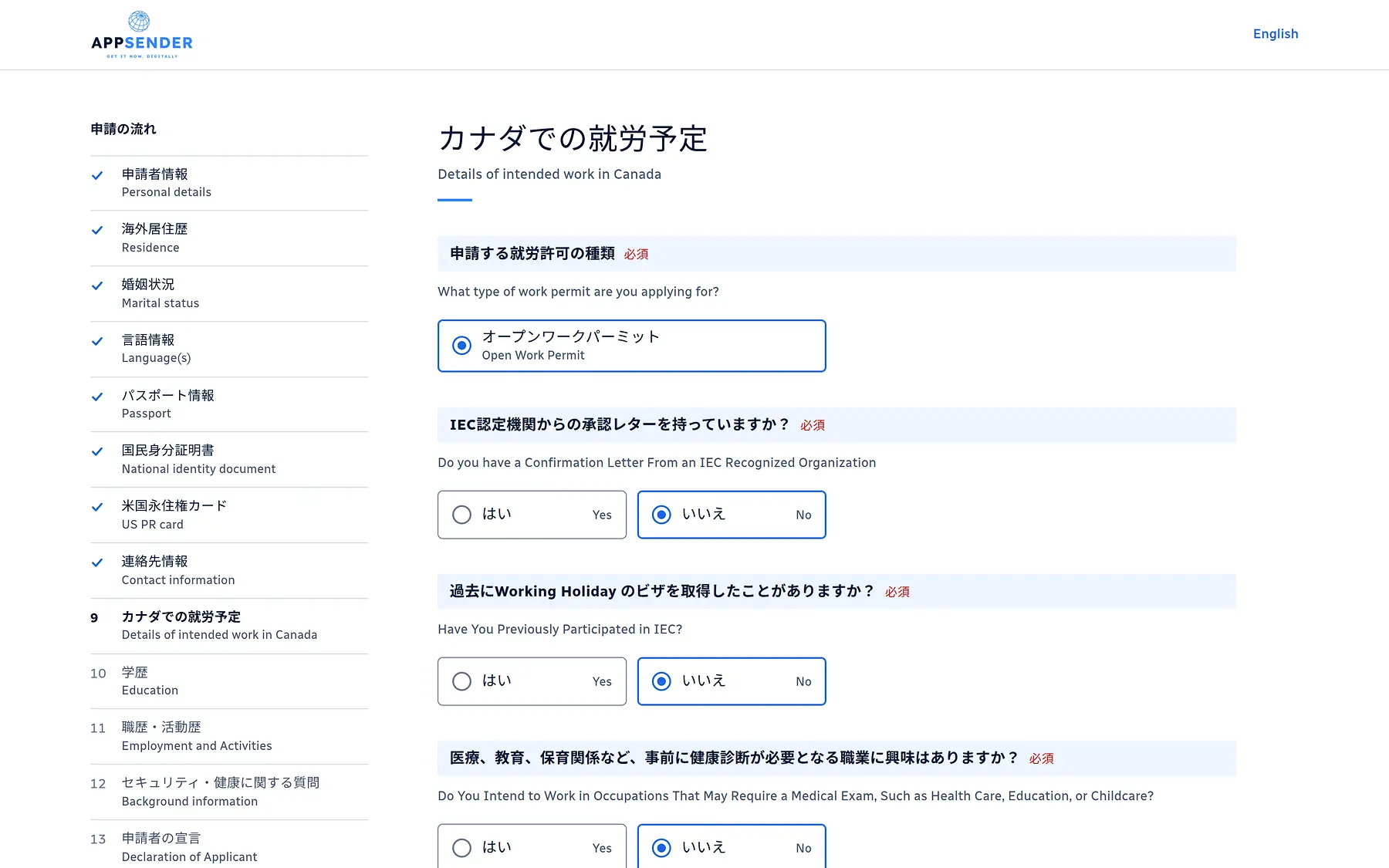
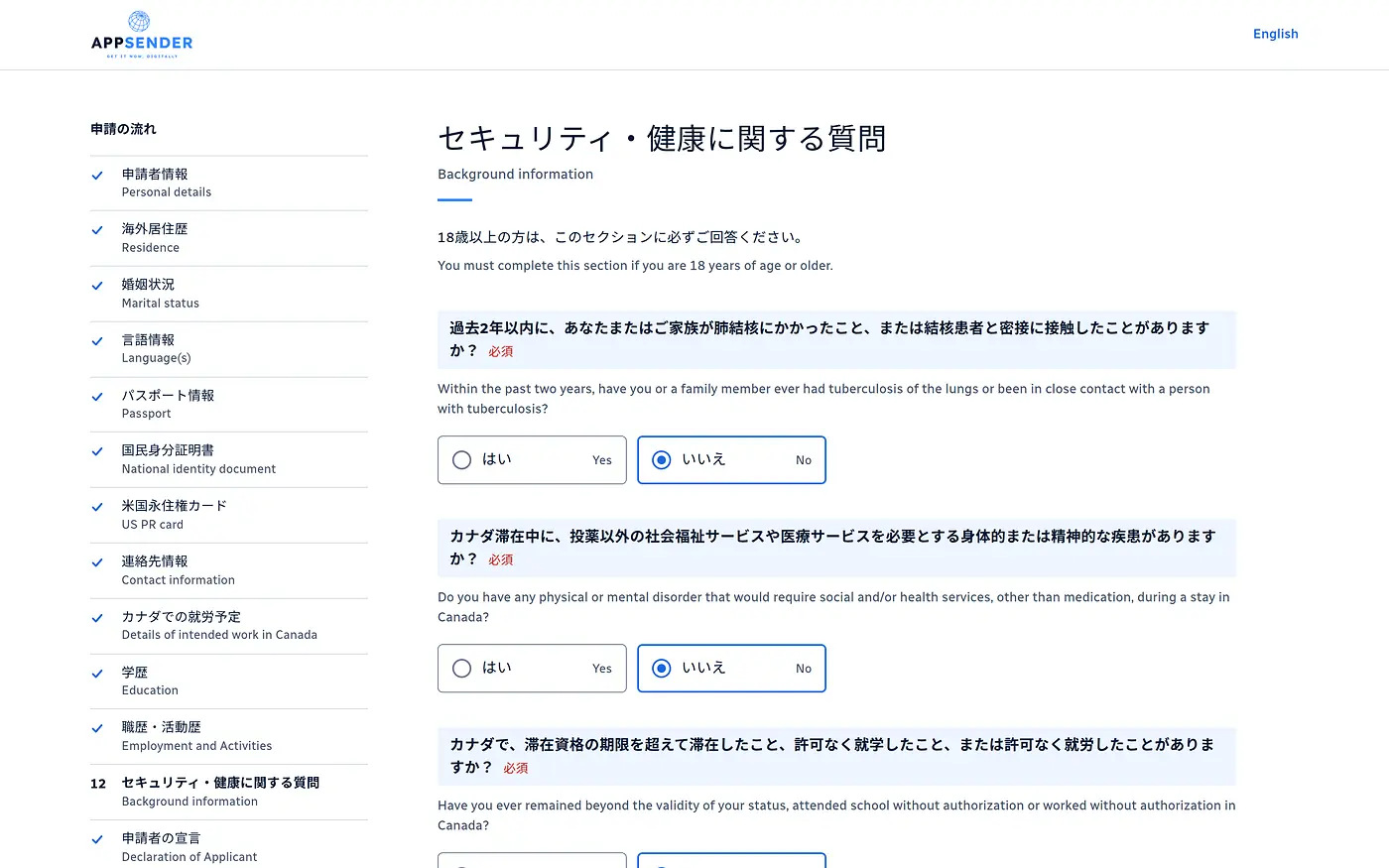
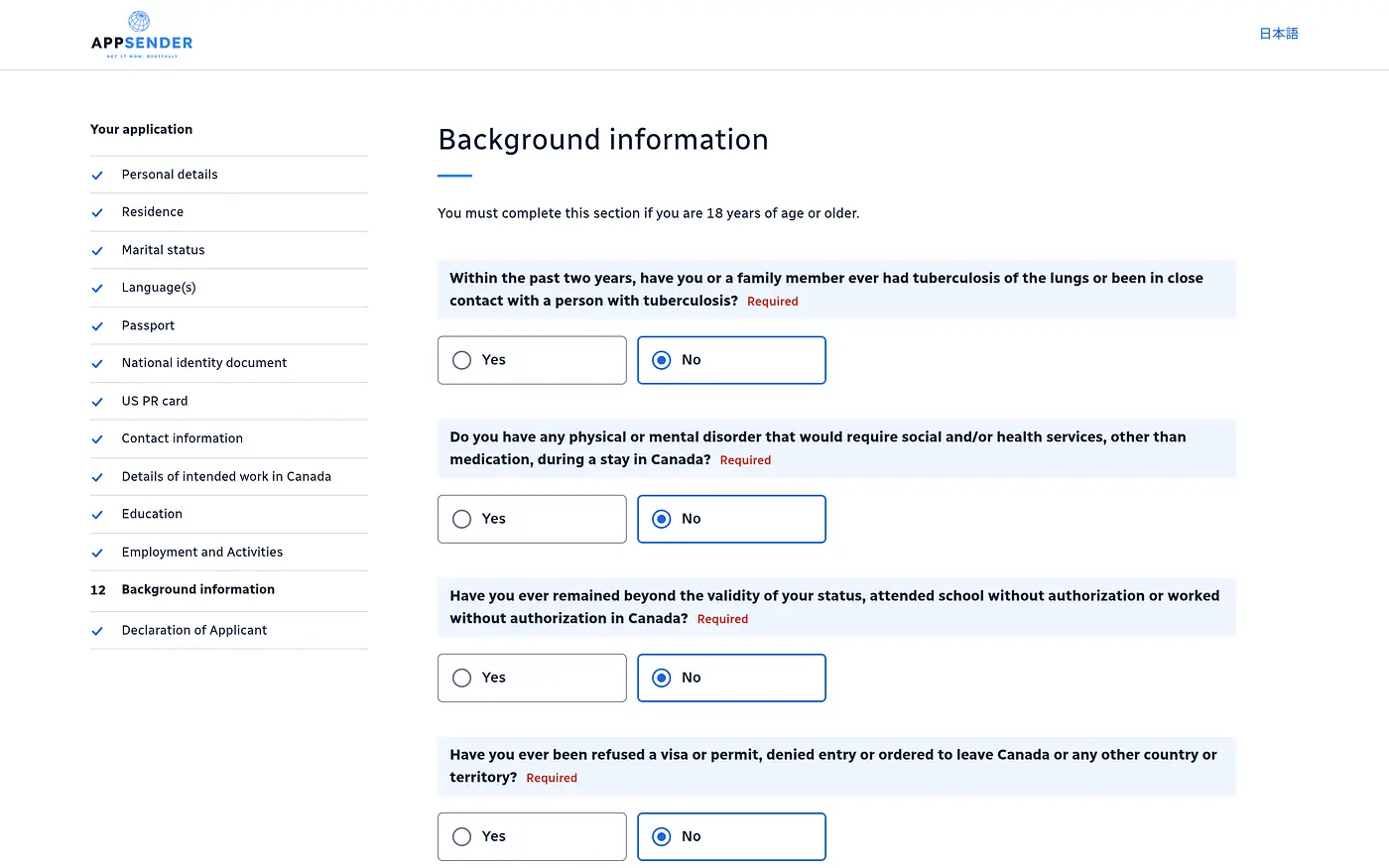
Each question sits in Japanese on a pale blue band with IRCC's own English wording directly beneath, the same way a Japanese passport labels its data. Yes and No are two large, equal choices, easy to tap and hard to miss.
English, One Tap Away
The same step in English. One link in the header switches the entire form, side list included, and every answer stays exactly where the applicant left it.
A History With No Gaps
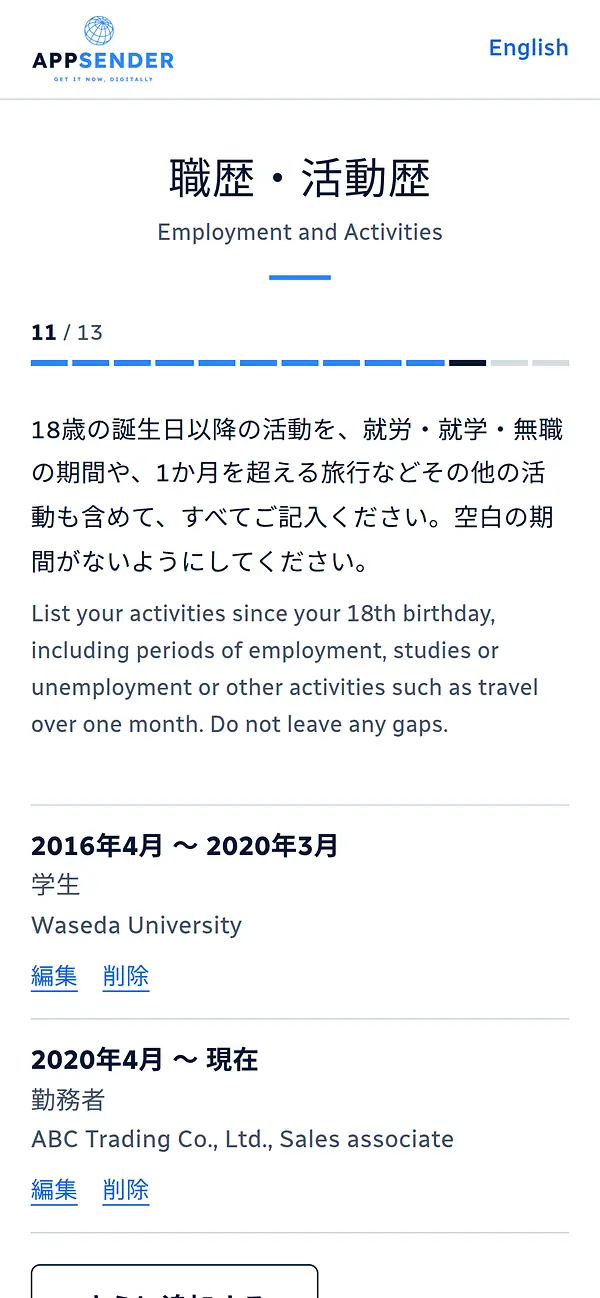
IRCC asks for every activity since the 18th birthday. Each job, school or gap becomes its own entry with Edit and Remove, dates read the Japanese way, and the form lists any month left uncovered.
A Reference Number, Nothing Else
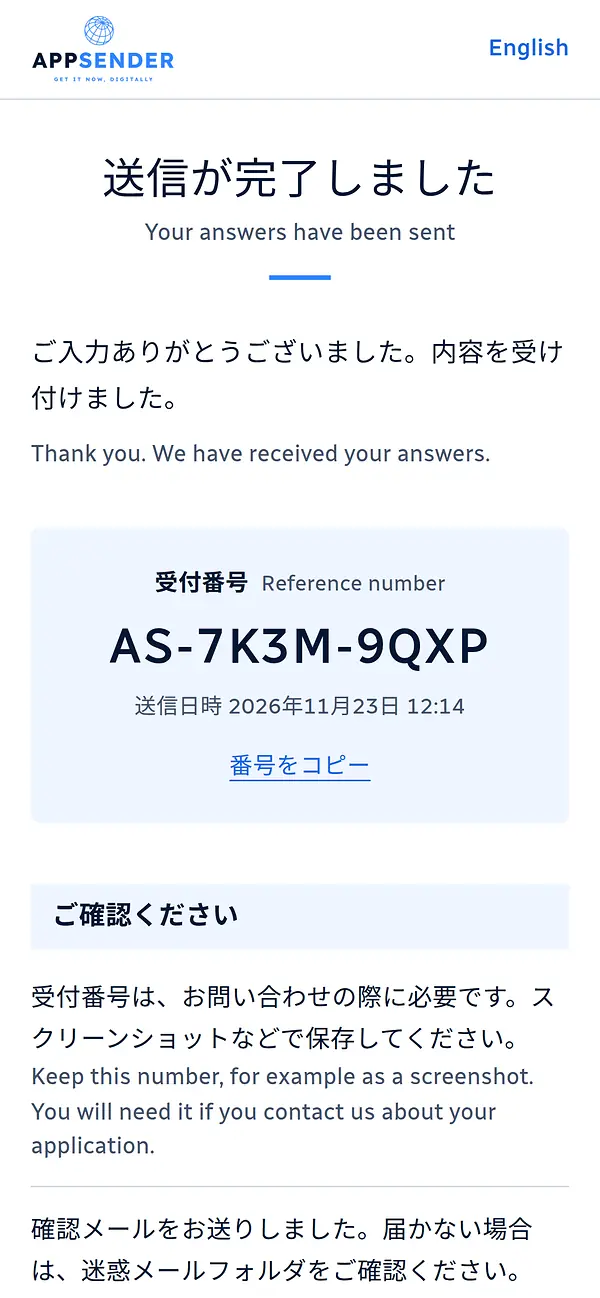
After sending, the applicant gets a reference number made without 0, O, 1 or I so it can't be mistaken when read over the phone, plus a copy button and a confirmation email. The answers and passport saved on the phone are erased.
The Staff Dashboard
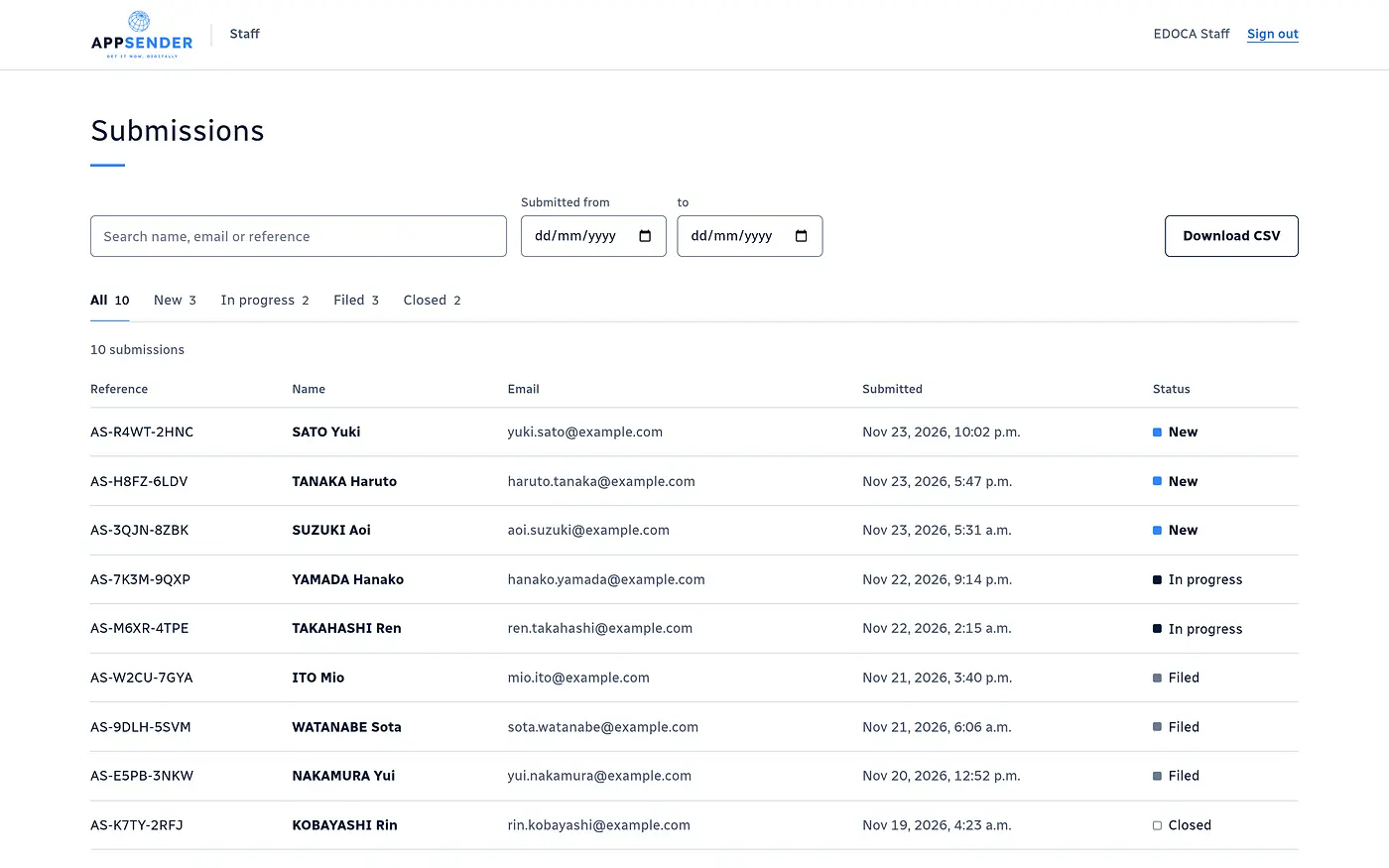
Every submission in one ruled list, searchable by name, email or reference number, with status tabs and counts, date filters and a CSV download. Shown here with sample data.
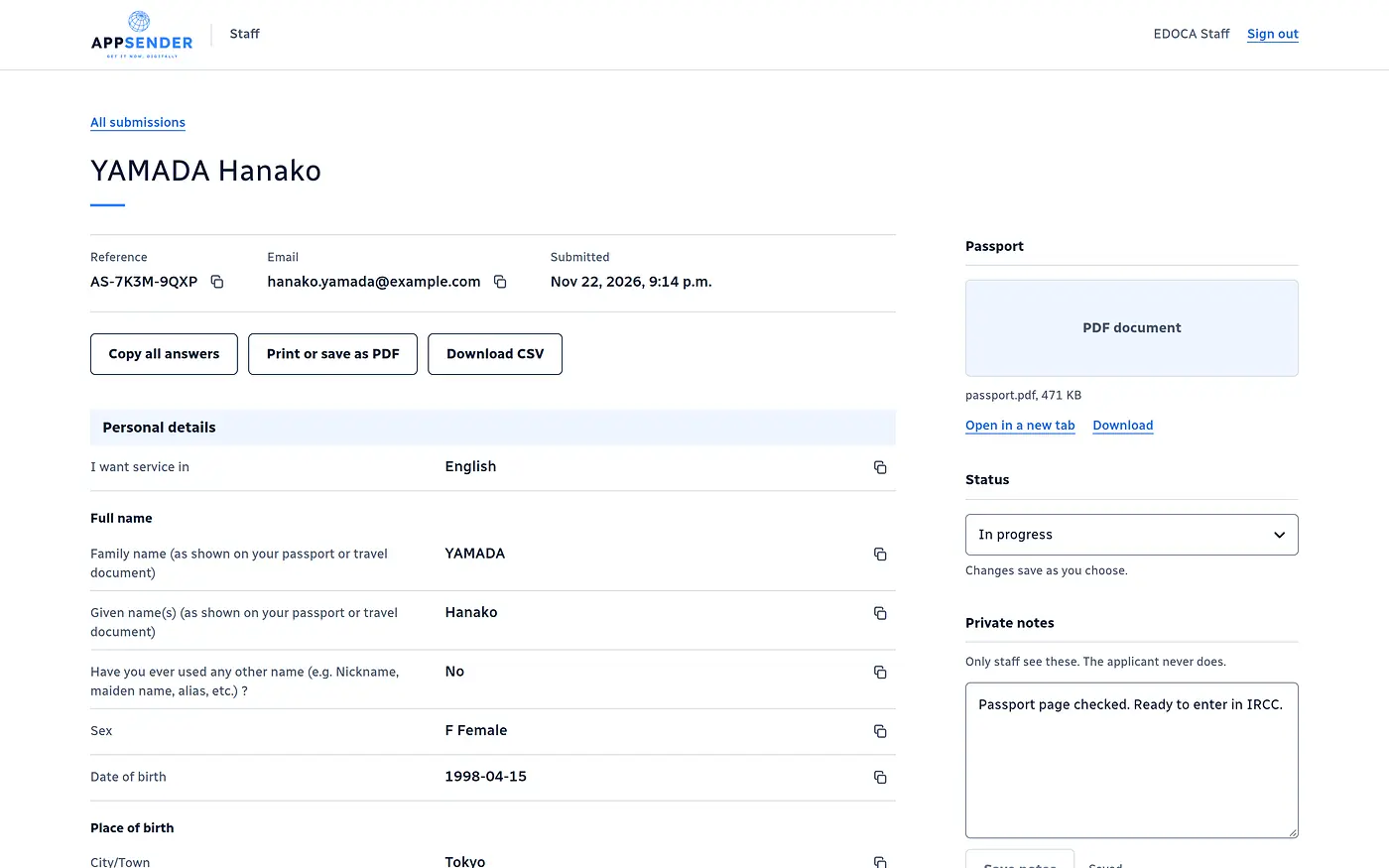
Every Submission in IRCC's Order
Each record follows IRCC's own order with a copy button on every answer, Copy All, Print or Save as PDF, and CSV, while the passport file, status and private notes stay in view beside it. Sample data shown.
Encrypted Twice, Stored in Canada
Google encrypts everything it stores, and the app encrypts the answers and passport files again with AES-256-GCM before they are saved, using a separate key for each kind of data. Each sealed value is tied to the exact place it is stored, so a copy moved anywhere else can't be opened. The database and files live in Montréal.
Passport Files Never on a Public Link
Passport pages upload in encrypted pieces and are checked by their actual file contents, not just their name. Staff open them through a link that works for one minute and only for the person it was made for, and the file is never cached anywhere.
A Record of Every View
Every time staff open a submission, open or download a passport, export a CSV, change a status, edit a note or delete a record, the system records who did it and when.
Locked-Down Staff Sign-In
Each staff member has a private login, public sign-up is switched off, and an account only works once it is marked as staff. Sessions use secure, host-only cookies and end after twelve hours, and the browser never keeps a copy of a staff page, so nothing can be reopened after signing out.
Bot Protection and Limits
Cloudflare Turnstile checks every submission, each visitor can only start a handful of applications an hour, and a daily ceiling stops a flood from filling the database. Visitor addresses are only ever stored as keyed fingerprints, never in plain form.
Nothing Sensitive in an Inbox
Staff hear about each new submission through an email with a link and no applicant details, and answers and passport files are never sent by email at all. Everything stays behind the staff sign-in.
Built for How Applicants Type
Full-width letters and numbers from a Japanese keyboard are converted automatically, the form asks for romaji wherever IRCC needs English letters, invisible formatting marks are stripped from every answer, and countries and dates follow IRCC's own lists.
Copy-Ready for IRCC
Staff work straight from the record into IRCC's site: every answer has its own copy button, Copy All takes the whole application as text, Print saves a clean PDF, and CSV exports are guarded against spreadsheet formula attacks.
The design takes its cue from Japan's own online passport application: a quiet header on a hairline, a centred step title over a short azure rule, each question on a pale blue band, large plain fields, and clear buttons at the foot of every step. Japanese is set in the phone's own gothic typeface, which keeps the form quick on mobile data instead of downloading close to a megabyte of Japanese web fonts, while English, numbers and typed answers are set in Radio Canada, a typeface made for Canada's public broadcaster. The navy and azure come straight from App Sender's logo, every text colour meets WCAG AA contrast, and the layout was checked on every screen from a 390-pixel phone to a 2560-pixel monitor.
Under the hood it is Next.js 16, React 19 and TypeScript, styled with Tailwind CSS 4, running on Vercel with its server code in Montréal beside a Google Cloud database in the same city. IRCC's form is defined once, in IRCC's order, and that one definition drives the applicant's steps, the validation, the review screen, the staff record and the CSV, so they can never disagree. Sending happens in three steps: the answers first, encrypted as they are saved, then the passport in encrypted pieces, then a final call that makes the submission visible to staff, and a daily job clears away anything left unfinished.
Before launch, the code went through two full security reviews, and every loophole they found was closed. Strict security headers and a content security policy protect every page, the passport upload is verified by its contents, typed answers are cleaned of hidden characters, and automated tests cover the encryption, the staff safeguards, the daily clean-up and the form's rules. The result replaced a WordPress form with a calm, fast application that applicants finish on their phones, and it keeps their passports out of everyone's inbox.
EXPLORE MORE PROJECTS
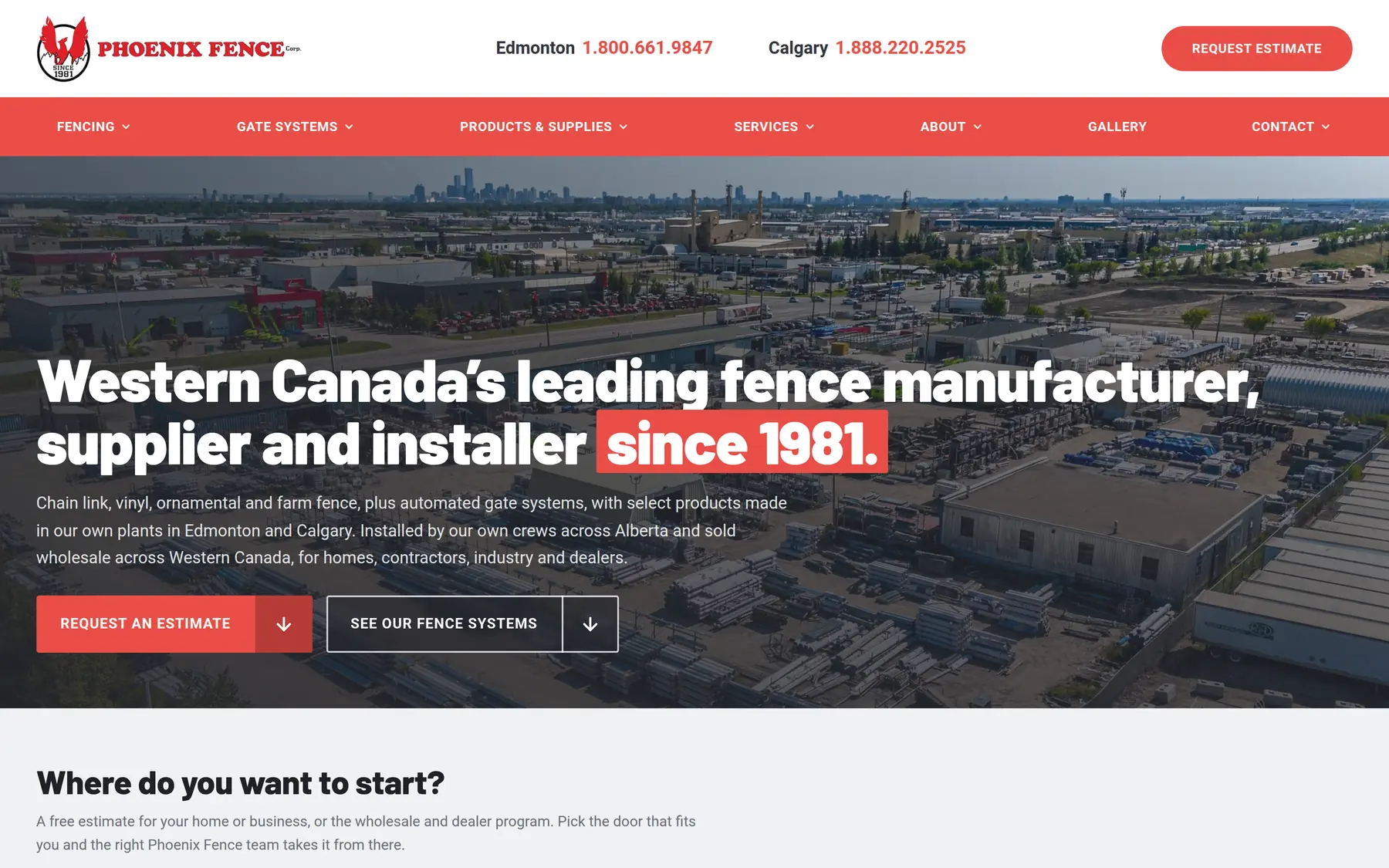
Phoenix Fence
Western Canada's leading fence manufacturer, supplier and installer since 1981. A complete rebuild that consolidated 119 legacy pages into 36, with a mega menu spanning every fence system, a 183-document spec library, and a custom estimate engine that routes every lead to the right branch.
Read Case Study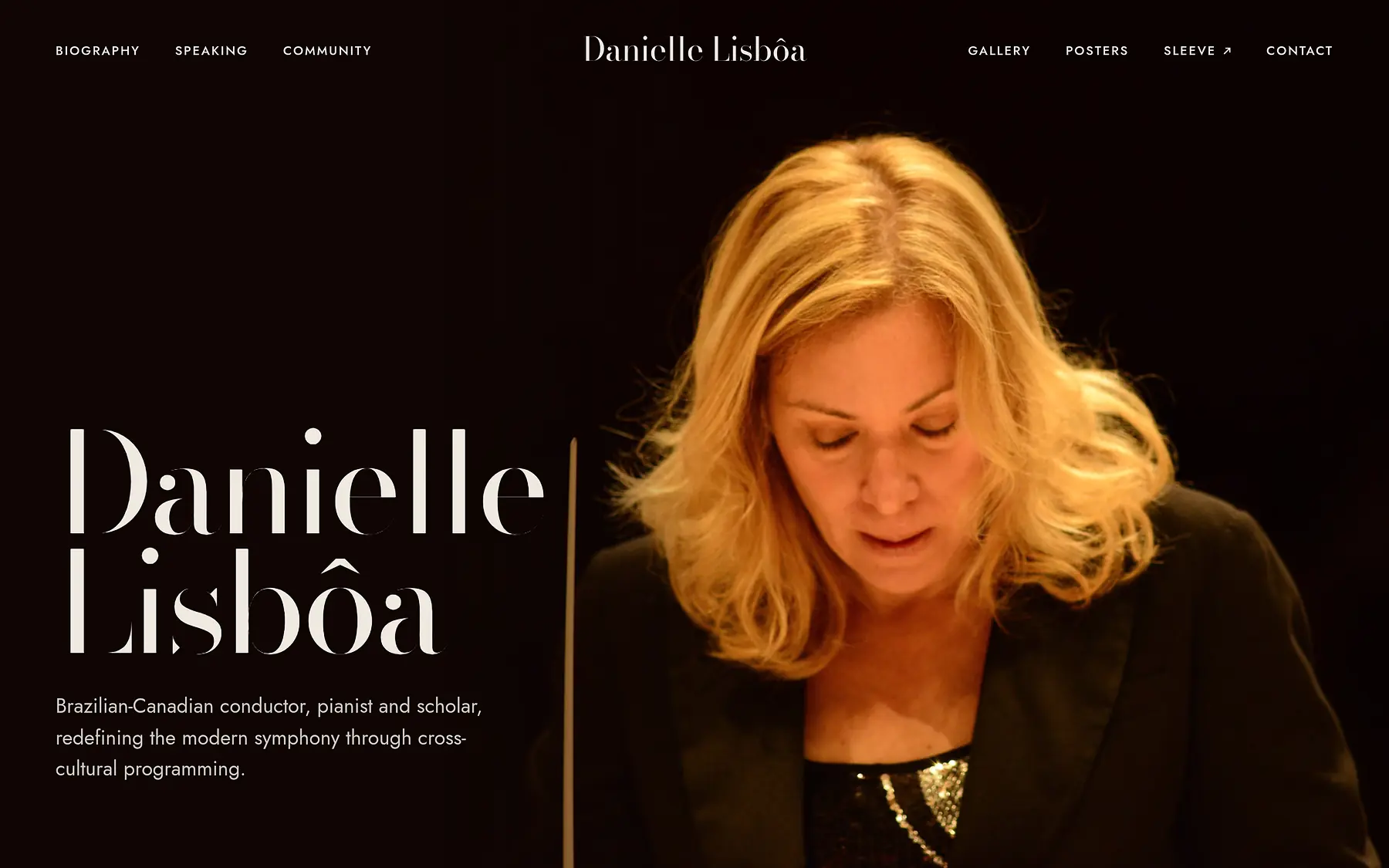
Danielle Lisbôa
The new home of Brazilian-Canadian conductor, pianist and scholar Danielle Lisbôa: a cinematic, stage-black design with her name set huge in Bodoni, engagements laid out like a concert programme, a press kit that rebuilds itself, and Storyblok editing on every page.
Read Case Study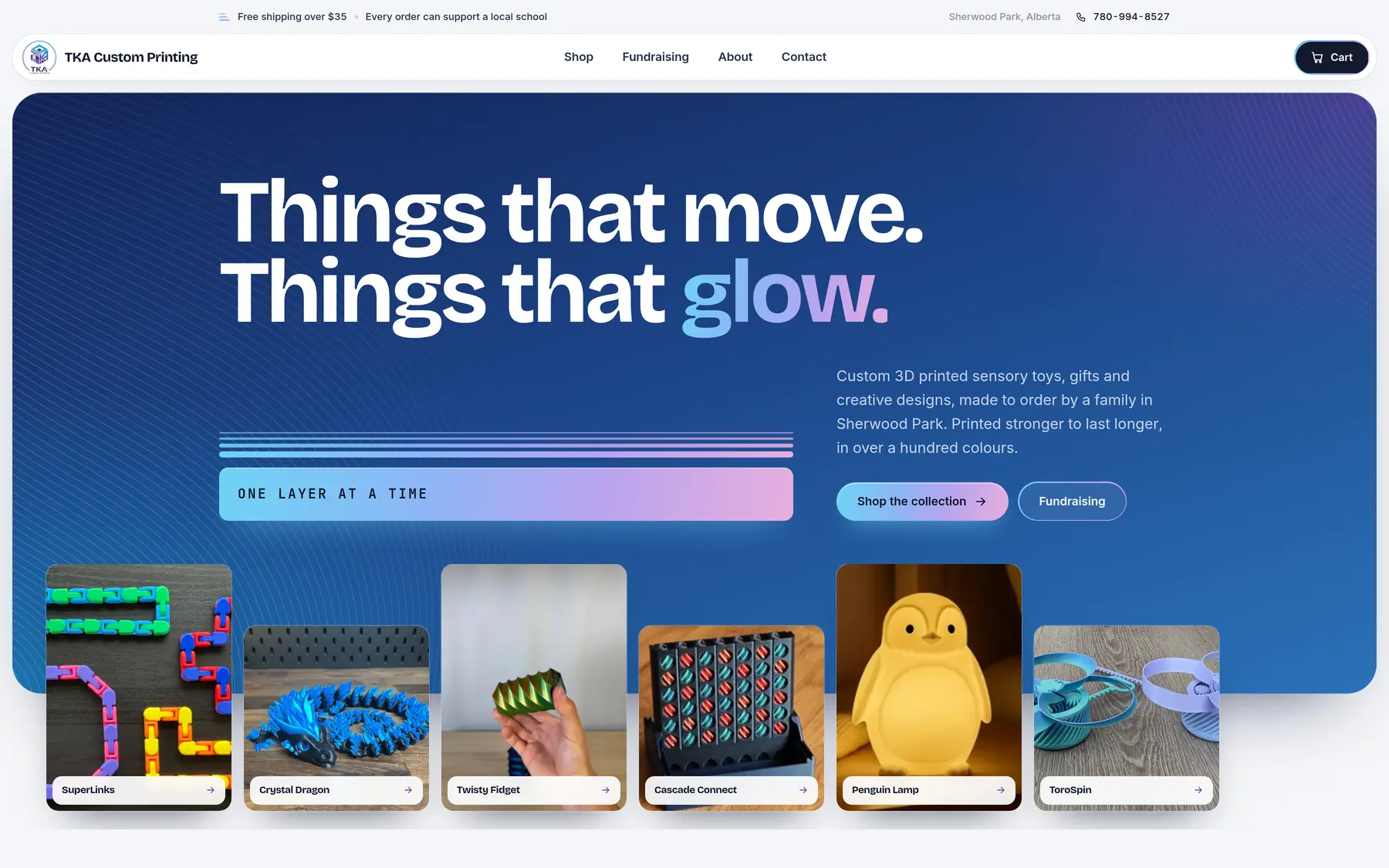
TKA Custom Printing
One of our most detailed designs yet: a fully custom e-commerce platform for a 3D printing company based in Edmonton, with a hero that prints itself into place, generated layer-line textures, scroll animations that build like a 3D print, a 105-colour library, secure Helcim checkout, and a fundraising engine that sends 20% of every order to a local school or club.
Read Case StudyWant Results Like These?
Get a free consultation to discuss your project. No pressure, no sales pitch, just an honest conversation about what you need and how we can help.